
Learn
Choose a platform







On this page
The platform choice describes the client that will register devices with Notifiable. Choose the option that matches the code shipped to your users, not the language used by your backend.
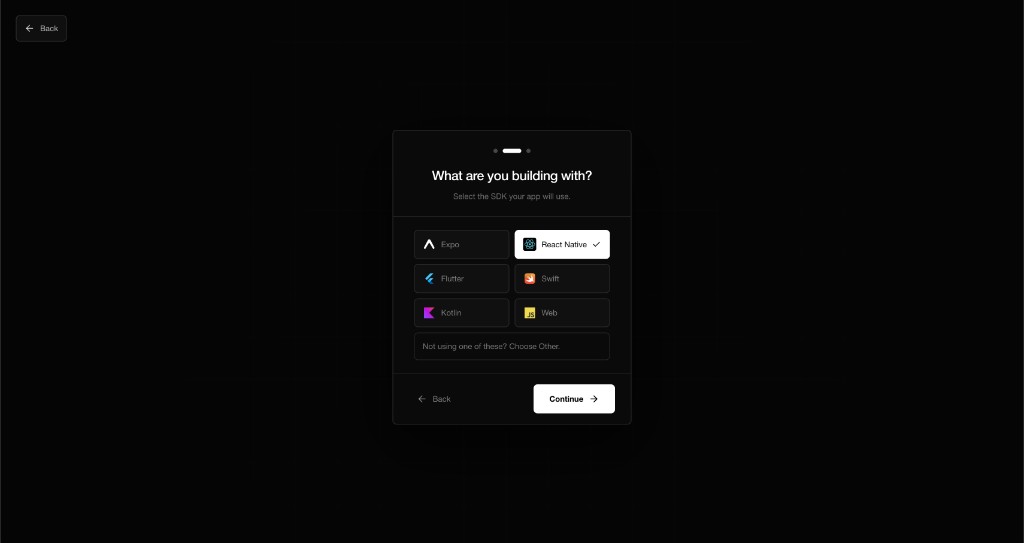
Platform and framework are different
Platform describes where the app runs: iOS, Android, cross-platform, or Web. Built with describes the SDK or framework: Expo, React Native, Flutter, Swift, Kotlin, or another client.
Examples:
- An Expo app that ships to iOS and Android is cross-platform and built with Expo.
- A native iPhone app is iOS and built with Swift.
- A native Android app is Android and built with Kotlin.
- A browser application is Web.
What each choice requires
| Client | Runs on | Delivery requirement |
|---|---|---|
| Expo | iOS and Android | Expo delivery is managed by Notifiable |
| React Native | iOS and Android | Android package name; Apple connection and bundle ID for iOS |
| Flutter | iOS and Android | Android package name; Apple connection and bundle ID for iOS |
| Swift | iOS | Apple connection and bundle ID |
| Kotlin | Android | Android package name |
| Web | Browser | Web Push configuration supplied by Notifiable |
The dashboard currently identifies Expo delivery as managed and prepares Android from the package name. Apple delivery uses one Apple Developer connection saved on the workspace, plus the bundle ID of each iOS app.
Change the selection
Open App settings and use the Platform and Built with controls. Save after changing them. Also review SDK keys, because a different platform can require a package name, bundle ID, or Apple connection that the previous selection did not use.
Changing the label in App settings does not install a package or modify your application code. Your client must still initialize the matching SDK with the public key for its environment.
SDK availability
The React Native package is documented now. Expo, Flutter, Swift, and Kotlin guides remain marked Coming soon until their packages and integration steps are ready. The API reference remains available to engineers and agents building a direct integration.
Questions you may have
What should I choose for an Expo-managed project?
Choose Expo, even though the app ultimately runs on iOS and Android.
What should I choose for React Native with Expo modules?
Choose the package that actually integrates Notifiable. If the Notifiable Expo package owns registration, choose Expo; if the React Native package does, choose React Native.
Does my backend framework matter here?
No. Backends send through the server API. This choice describes the client receiving notifications.
Can one app target both iOS and Android?
Yes. Choose a cross-platform framework and configure both delivery sides when required.