
Learn
Configure delivery







On this page
Open SDK keys after the app exists. This is where Notifiable learns how to deliver notifications.
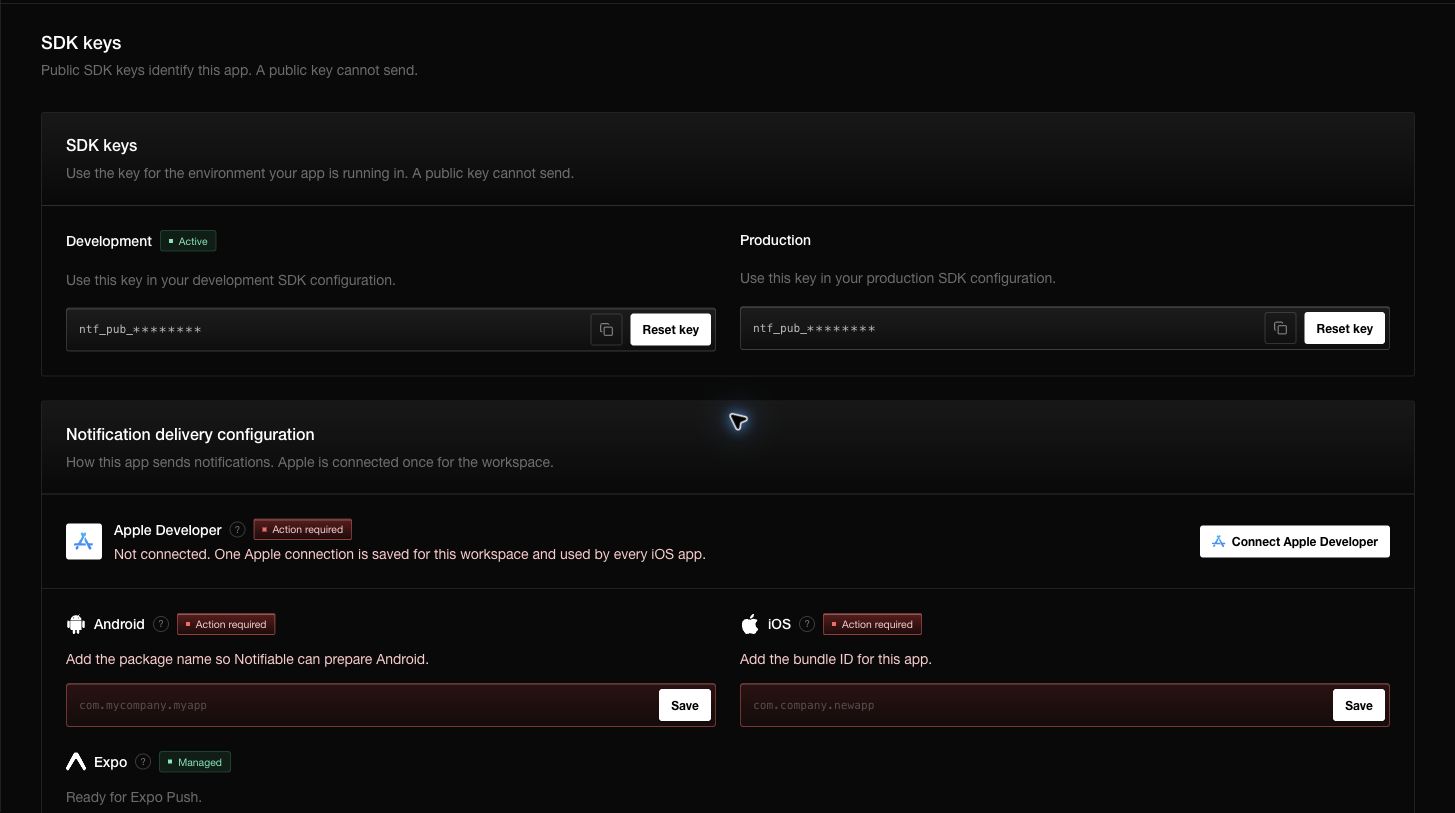
Android
Notifiable manages Android delivery. Add this app’s package name, such as com.mycompany.myapp, and save it. Notifiable prepares Android from that name.
Expo
Notifiable manages Expo too. An Expo app does not need a delivery secret.
Apple
iOS needs a check that you own the app. That check uses your Apple Developer account.
Choose Connect Apple. Enter the team, the key identifier, and the signing key. Drop a .p8 or .pem file, or paste the key, then choose Save to my workspace.
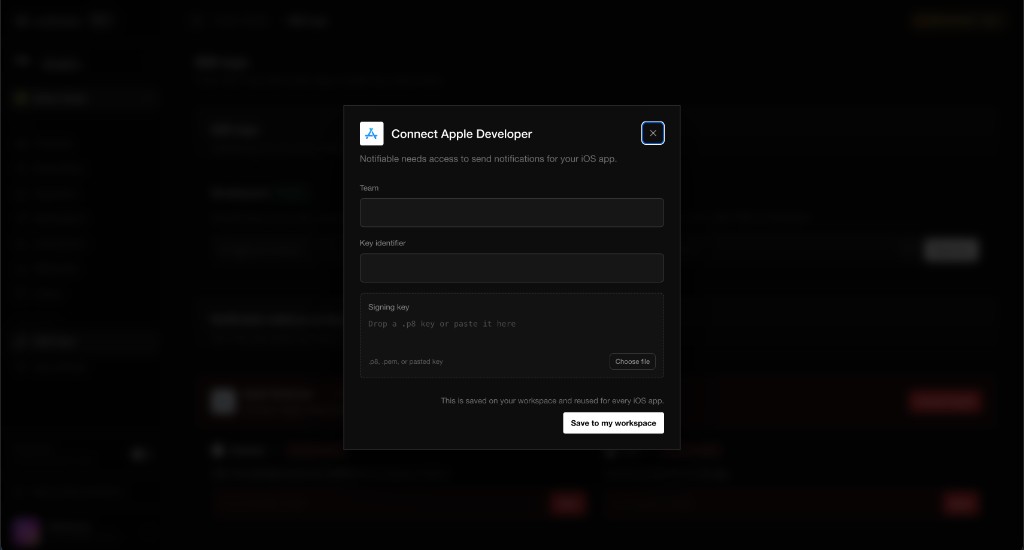
The connection is saved on the workspace and reused for every iOS app there. You verify with Apple once. Then add this app’s bundle ID, such as com.company.newapp, and save it. The app can send to iOS when Apple is connected and the bundle ID is saved.
Check readiness
Return to SDK keys after saving. A configured delivery path shows as ready or managed. Action required means a package name, bundle ID, or Apple connection is still missing.
Next, learn how development and production stay separate, then install the SDK and capture a test subscriber.