
Learn
Manage an app







On this page
An app is the product whose users, messages, and delivery configuration you manage. It belongs to one workspace and contains separate development and production environments.
App settings
Open App settings to update the app icon, name, description, platform, framework, Android package name, and iOS bundle ID. The environment buttons on this page help you review environment-specific configuration; the badge in the dashboard header remains the clearest indicator of the active dashboard environment.
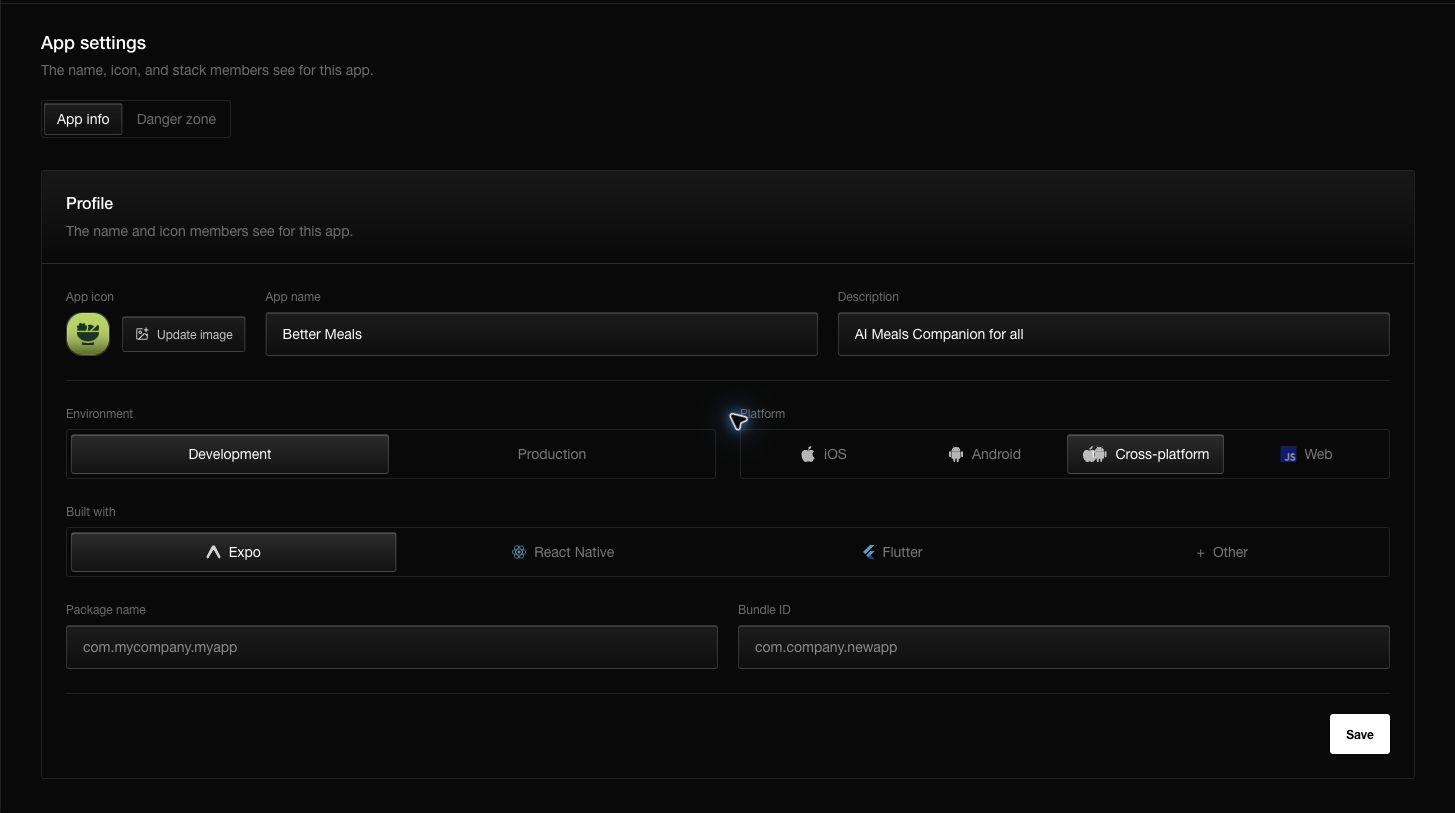
The package name and bundle ID must exactly match the identifiers in the shipped application. Capitalization and punctuation matter.
SDK keys
Open SDK keys to copy the public key for development or production and to review delivery readiness.
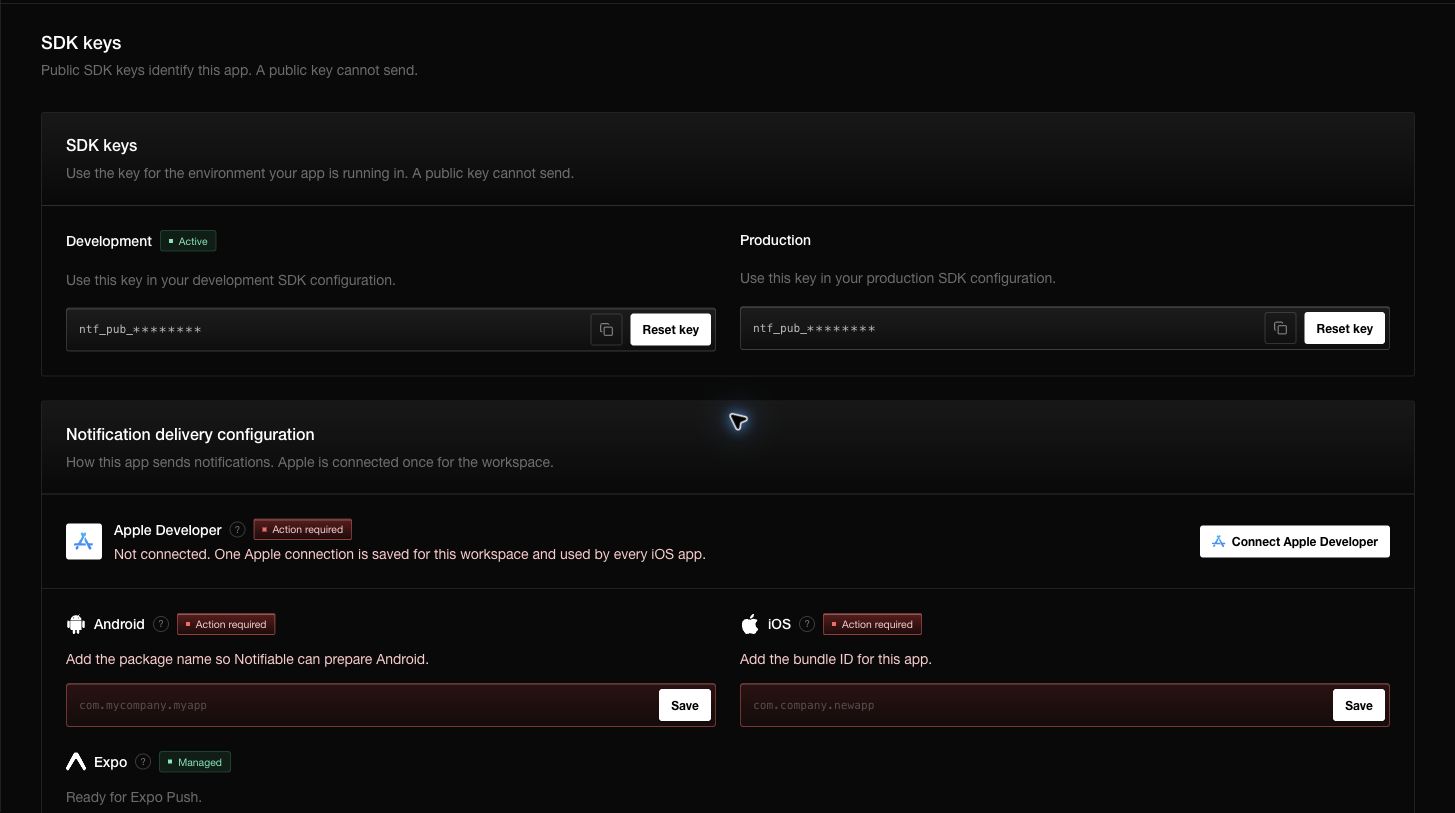
Public keys can be placed in client applications. They identify the app and environment but cannot send notifications. Resetting a key invalidates the old value, so update every build or deployment that used it.
Delivery configuration
- Expo is managed and does not require an extra Expo secret.
- Android is prepared from the application package name.
- iOS requires an Apple Developer connection saved once on the workspace and a bundle ID for this app.
The Action required badge means at least one selected delivery path is incomplete. Open SDK keys to see the exact missing item.
Switching apps and workspaces
Use the app selector at the top of the sidebar to move between apps in the current workspace. Use the workspace selector above it to move between organizations or teams.
Always re-check the breadcrumb and environment after switching. App names can be similar, but subscribers, keys, and notifications belong to the selected app only.
Questions you may have
Does renaming an app change its identifiers?
No. The display name, package name, bundle ID, and internal app identifier are separate values.
When should I reset a public key?
Reset it when the old key should no longer register clients. Plan the rollout because builds containing the old key will stop working correctly.
Why does SDK keys show Action required?
The app is missing a required package name, bundle ID, or Apple connection for a selected platform.
Can I reuse one Apple connection?
Yes. The workspace stores one Apple Developer connection and reuses it for its iOS apps; each app still needs its own bundle ID.